
Site by site first
Website access begins with the narrowest practical choice and can be revoked anytime.
 Form Rescue · v1.0.1
Form Rescue autosaves meaningful form drafts locally, confirms each successful write, and helps you restore text without overwriting what is already there.
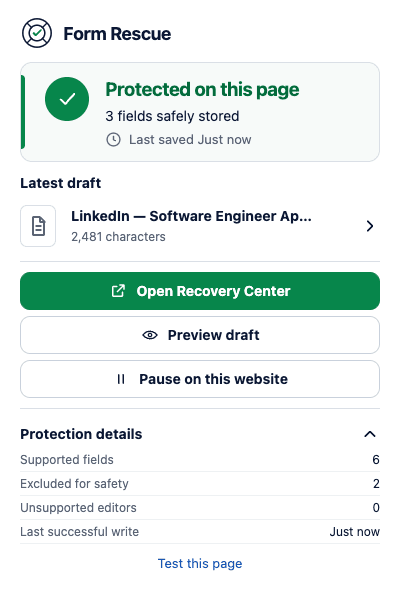
Recovery you can verify
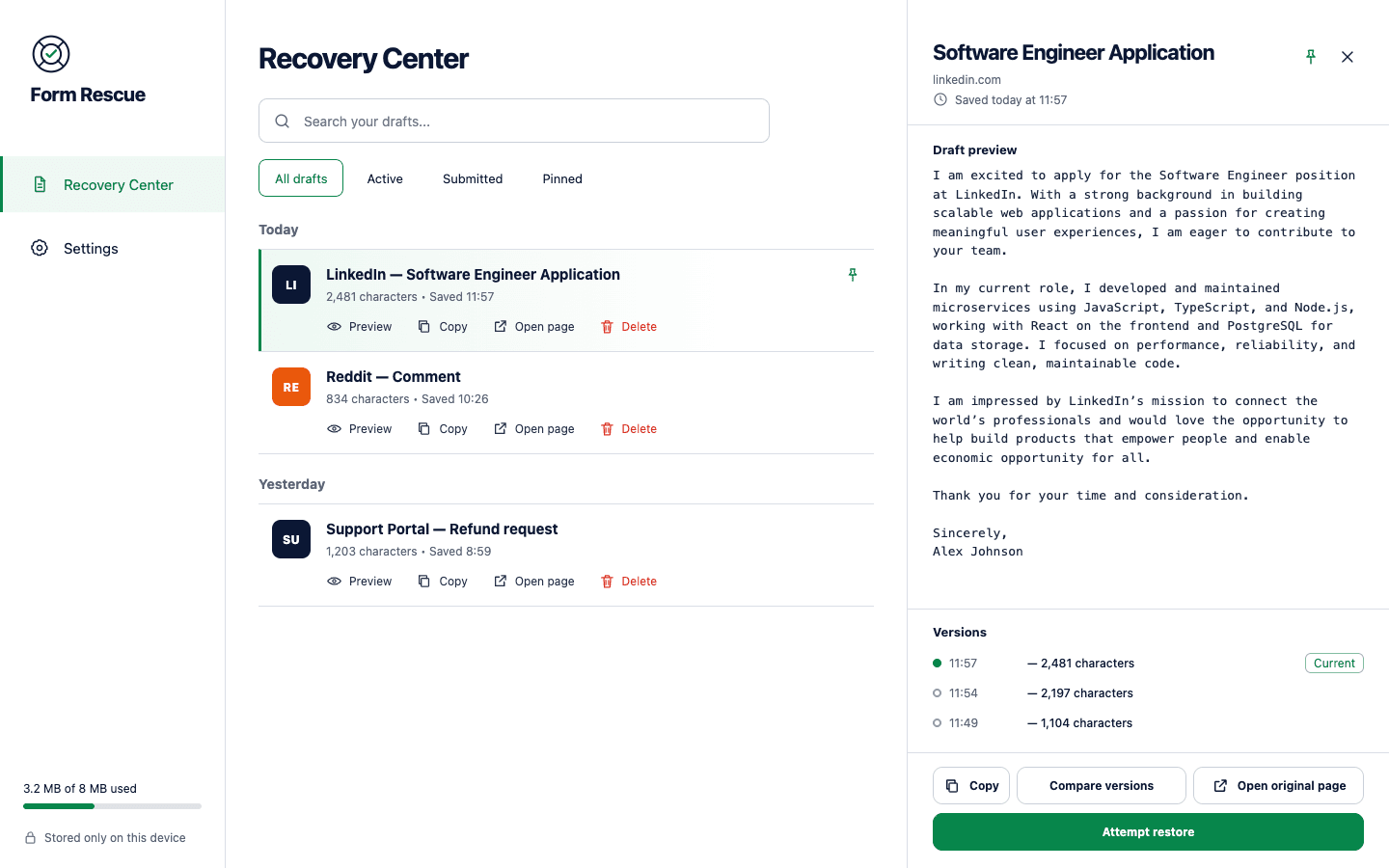
Live status confirms the latest successful local write. Recovery Center groups drafts by page, keeps useful versions, and puts preview, copy, and restore behind deliberate actions.
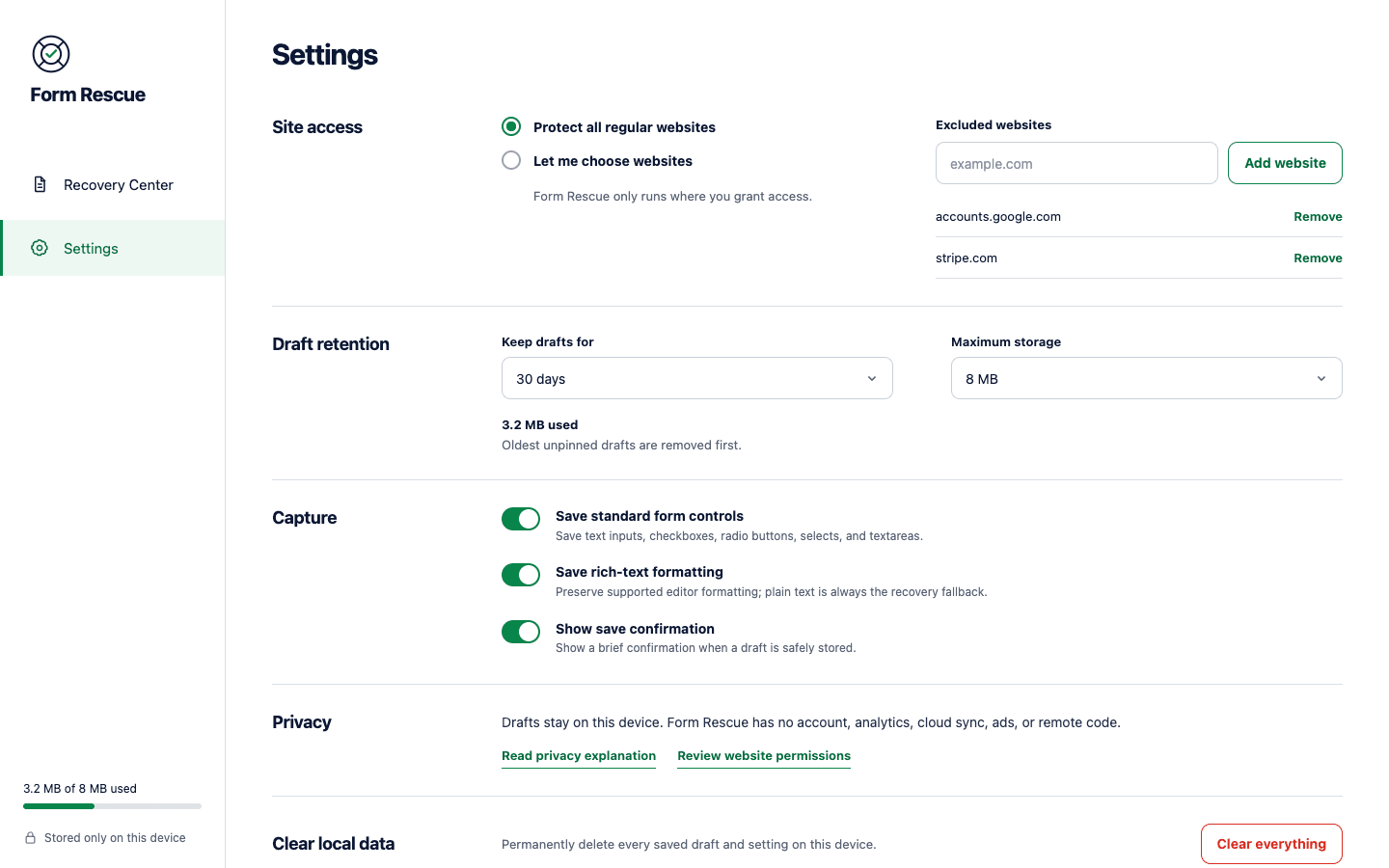
Your drafts, under your control
Choose where Form Rescue runs, how long drafts stay, how much local space it may use, and whether local values are encrypted.
Website access begins with the narrowest practical choice and can be revoked anytime.
Keep drafts for 1 to 365 days and choose a local storage limit.
Encrypt local draft values with a password that is never stored.
Delete one draft, exclude a website, or clear every local record and setting.
Sensitive by default
Form Rescue classifies fields in the page before values reach the background storage layer. Hard-blocked secrets stay out. Other private fields and sensitive routes require a separate, per-website decision.
Read the complete privacy modelLocal architecture
Recognize supported fields on an approved page.
Exclude secrets and pause private contexts.
Write useful versions to local IndexedDB.
Preview, copy, or restore after your action.
Frequently asked
No. Form Rescue has no account, backend, analytics, advertising, or cloud sync. Drafts and page context remain in your local Chrome profile.
Passwords, payment cards, one-time codes, tokens, private keys, recovery phrases, hidden inputs, and file inputs are blocked. Other private identifiers and sensitive routes stay paused unless you explicitly allow one website.
Not silently. Recovery Center lets you preview and compare versions. Form Rescue checks the current field and asks for an intentional restore action.
Yes. The optional vault encrypts draft values locally with AES-GCM and a password that Form Rescue does not store. Exported JSON backups remain readable plaintext.
Form Rescue supports standard controls and many contenteditable editors, but websites can implement forms in ways a browser extension cannot safely recover. Treat it as a recovery aid and keep independent copies of critical content.
Documentation
Practical recovery guide

Free on the Chrome Web Store. No account, subscription, or cloud sync.