Tab, window, or screen
Use Chrome's trusted chooser or record the current tab directly from the side panel.
 Free local Chrome recorder · v2.0.1
Capture screen, camera, microphone, and system or tab audio. Annotate, edit, recover, organize, and export on your device—no account, upload, watermark, subscription, or paid feature gate.
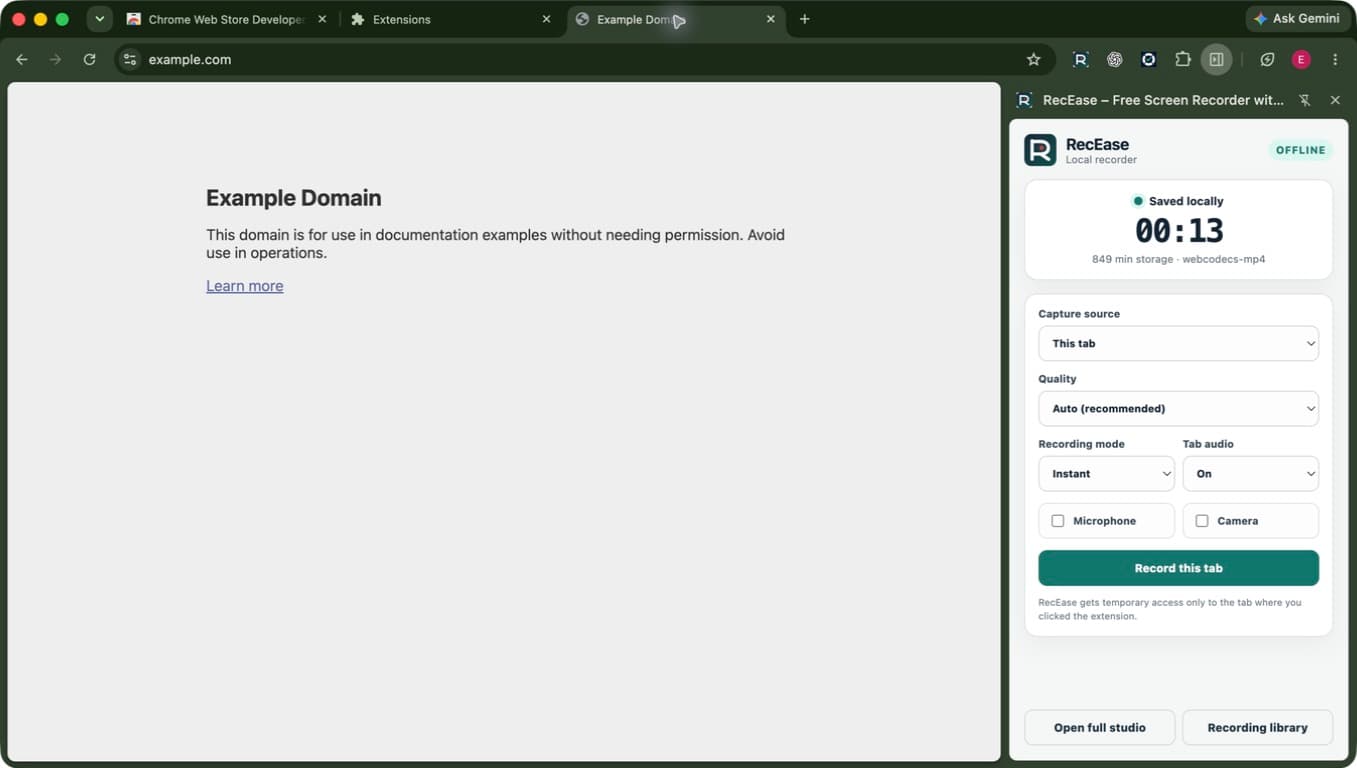
Capture with control
Choose Auto, 4K, 1080p, 720p, or 480p profiles up to 60 FPS when supported. RecEase checks codecs, devices, and storage before the take.
Use Chrome's trusted chooser or record the current tab directly from the side panel.
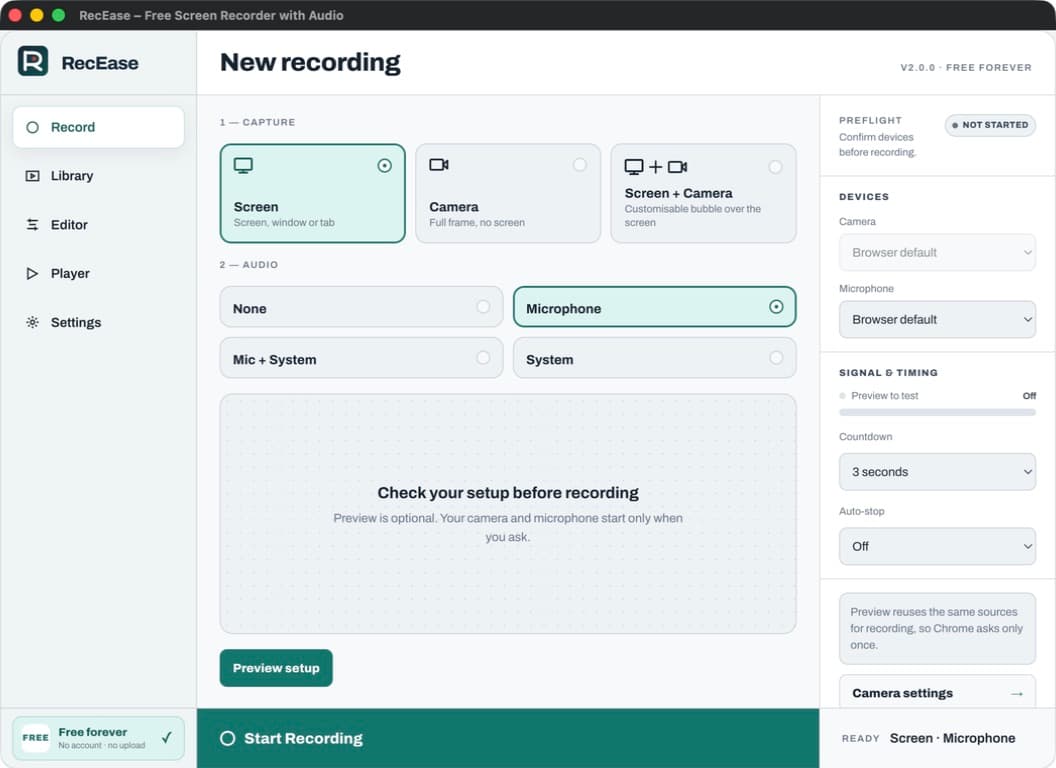
Add a movable, resizable, mirrored circular or rectangular camera—placed top-right by default—without uploading it.
Capture microphone, system or tab audio, both together, or a silent recording.
A complete local studio
Draw with pen and highlighter tools, add shapes and text, hide sensitive areas, highlight clicks, and control the take with the side panel or shortcuts. Live Rewind keeps unwanted tails reversible.
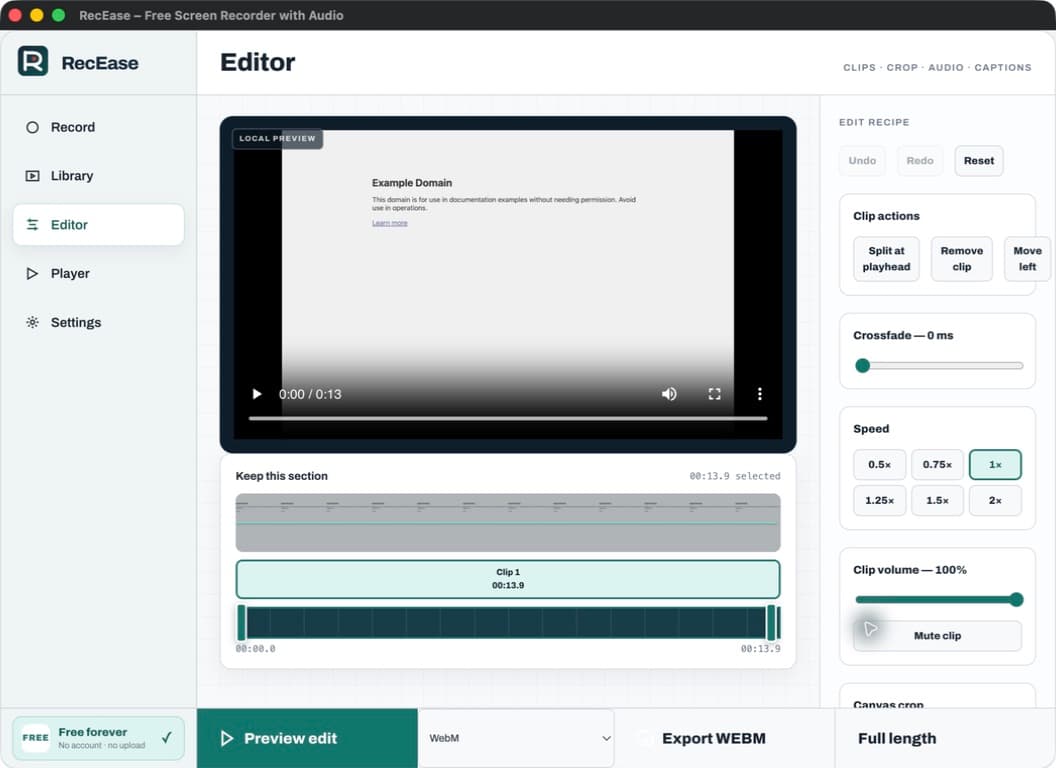
Edit without a round trip
Use filmstrip and waveform previews to trim, split, remove, reorder, crop, change speed or volume, add text and captions, and replace audio entirely on your device.
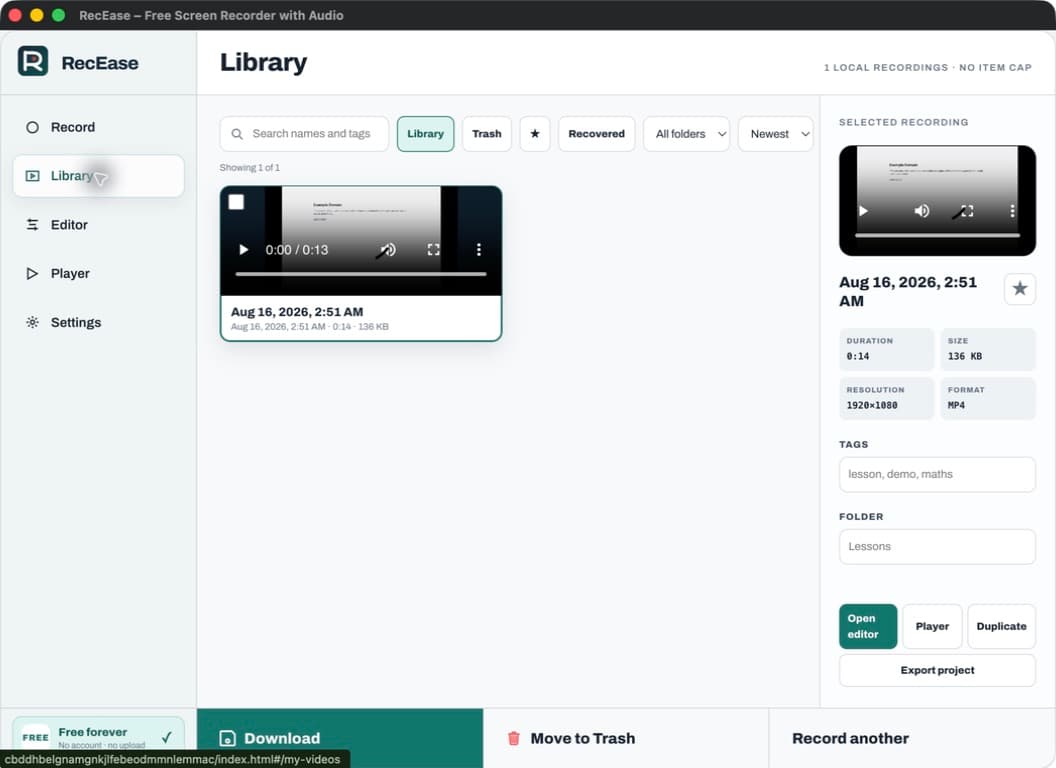
A real on-device library
Search names and tags, use folders and favourites, restore from Trash, duplicate projects, and export integrity-checked .recease archives containing their editable data.
Private by design
RecEase has no recording upload service, account, payment, advertising tracker, analytics identity, or remote executable code. On-page tools do not read text, form values, or keystrokes.
Read the complete privacy policyOne complete edition
No Pro tier, checkout, subscription, watermark, sign-in, or artificial RecEase limit.
RecEase 2.0.1
Good to know
No. Recordings, camera, audio, thumbnails, captions, names, tags, edit recipes, and diagnostics remain in your Chrome profile unless you deliberately download or export them.
Yes. RecEase 2.0.1 has no account, subscription, in-app purchase, watermark, item cap, or RecEase recording-time limit. Available duration still depends on browser, storage, hardware, and the selected source.
You can trim, split, remove, reorder, crop, change speed and volume, add text and captions, replace audio, adjust camera layout, undo or redo blur, and preserve reversible Live Rewind cuts without changing the original.
RecEase can export MP4 or WebM when supported by Chrome and your hardware, plus GIF for clips up to 30 seconds. Portable .recease projects preserve editable local data.
RecEase checks your Chrome version, codecs, hardware, frame rate, source, and storage before recording. Unsupported combinations are disabled instead of silently degrading the result.
Recording a browser tab?
Use the focused guide to choose the right source, include tab audio, and verify the result before a longer recording.
Read the Chrome tab audio guide
Ready when you are